
How to Review and Analyze a Bank Reconciliation in The Eye Reconciliations
To audit a bank reconciliation in The Eye Reconciliations, navigate to the History menu, select the corresponding bank account and period, and click 'View details' from the actions menu to examine match rates, unconciled items, and export accounting entries.
Step by step
- 1
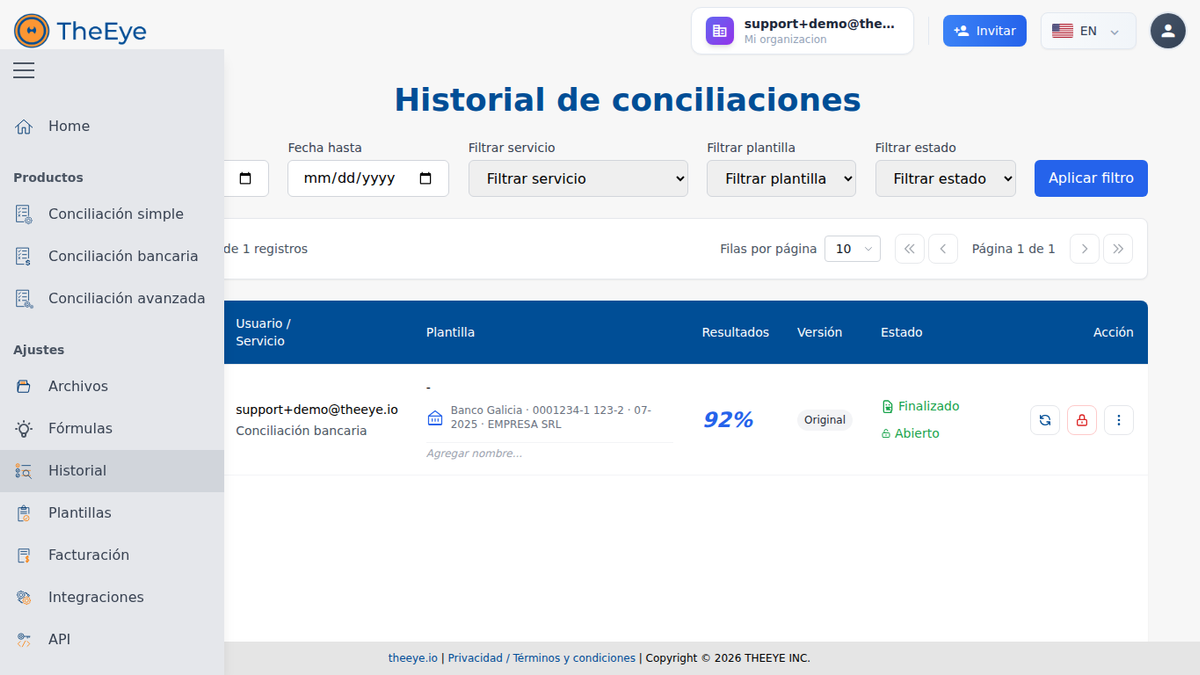
Access Reconciliation History
From the left navigation menu in The Eye Reconciliations, click 'Historial' (History). Filter by date range, service type (Bank Reconciliation), and execution status.
- 2
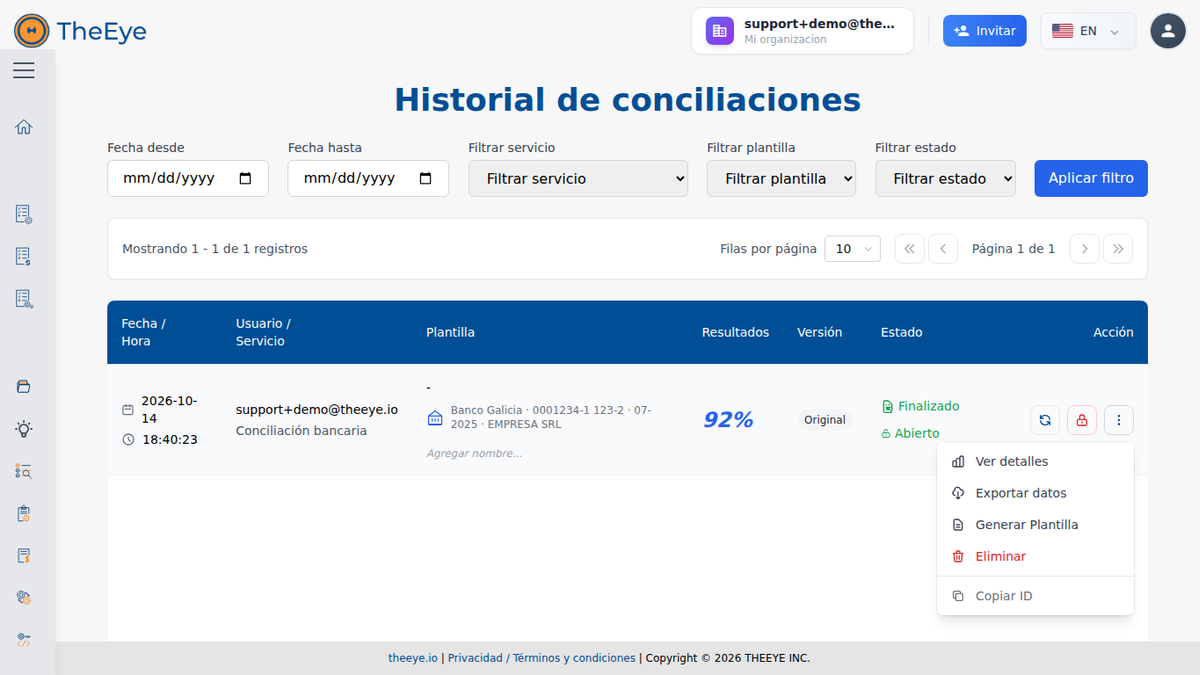
Open Record Action Menu
Locate the target reconciliation row. On the right-hand action column, click the three-dots menu icon and select 'Ver detalles' (View details).
- 3
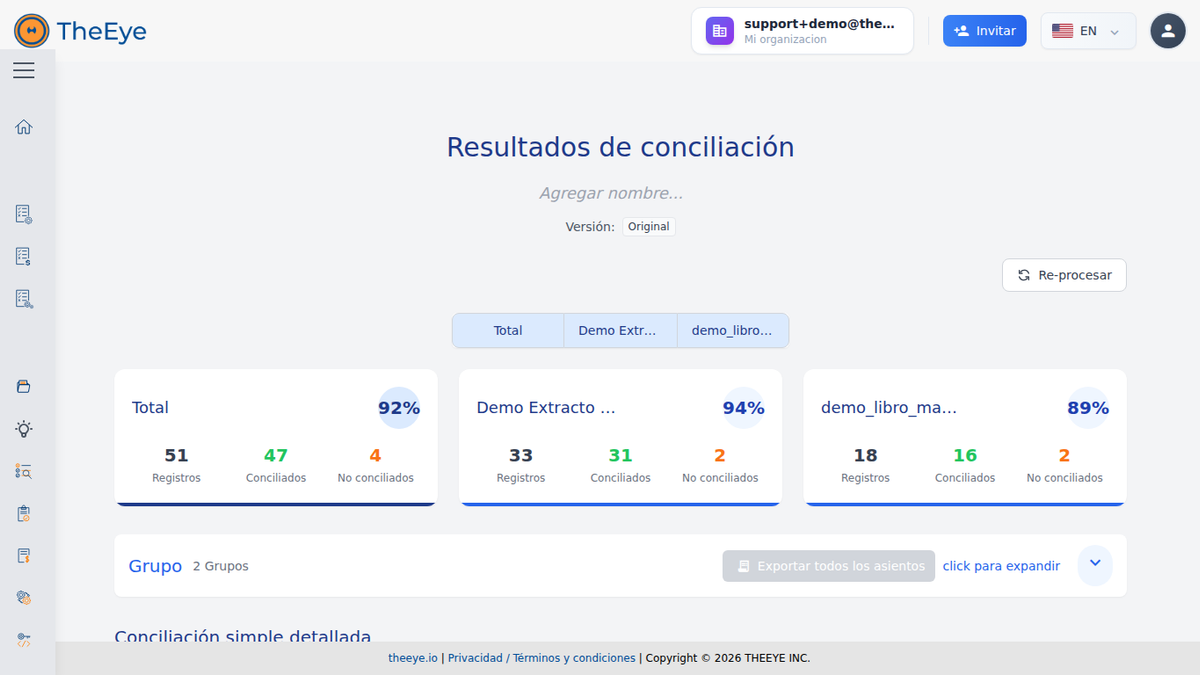
Analyze Matching Metrics and Discrepancies
Inspect the overall match rate (e.g. 92%), reconciled vs unreconciled records across files, tax groupings, and export consolidated journal entries to spreadsheet format.
Last updated: 10/14/2026
Still have questions?
Contact support