
How to Sign Up and Invite Users to an Organization in Reconciliations
Step-by-step guide for administrators to register independent organizations and invite collaborators in Reconciliations.
Step by step
- 1
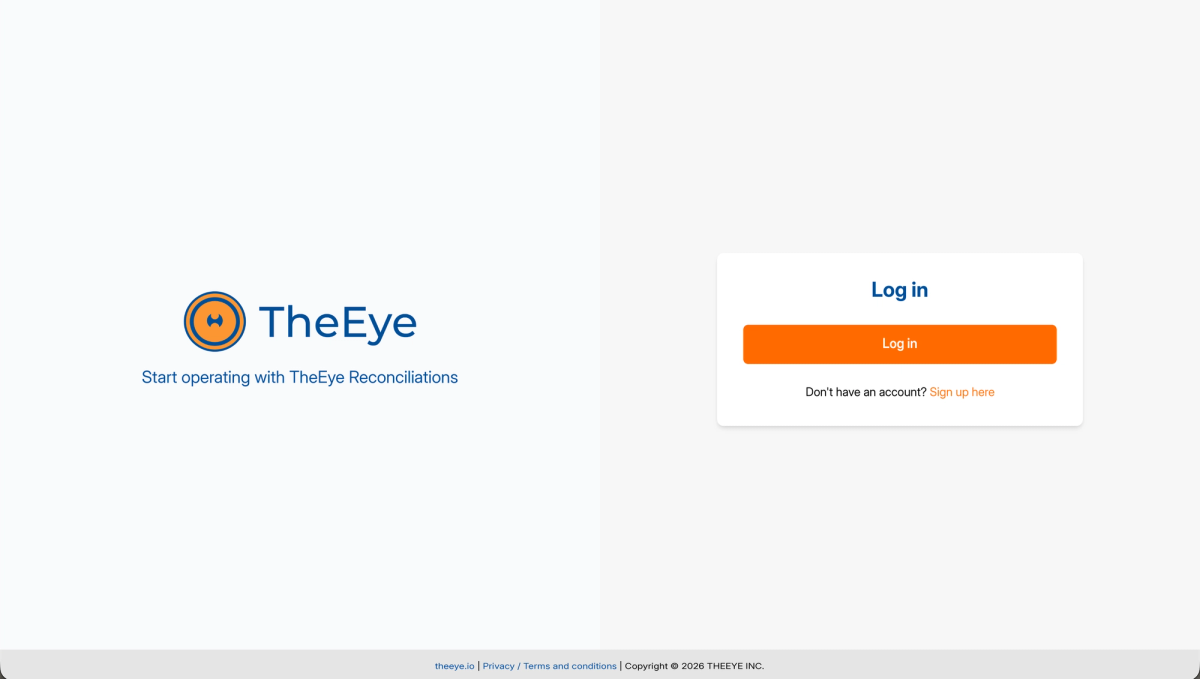
Platform sign up
1. Go to https://reconciliations.theeye.io/. 2. Click on "Sign up here" ("Registrarse aquí"). 3. Fill out the registration form with your details and confirm registration. Note: If your company manages multiple independent organizations, each designated administrator must register separately.
- 2
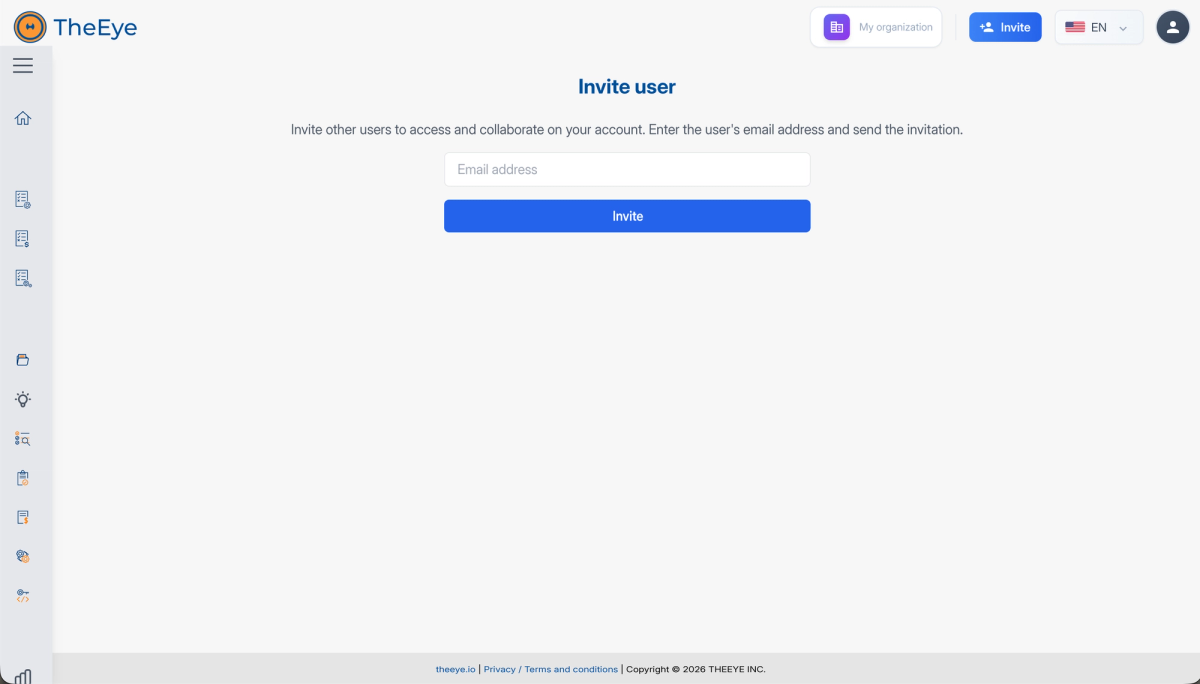
Invite Team Members
1. Log in to https://reconciliations.theeye.io/ with the registered administrator account. 2. On the main dashboard (Home), locate the "Invite" ("Invitar") button in the top-right corner. 3. Enter the email address of the team member you want to invite (e.g., usuario@theeye.io) and send the invitation. 4. Repeat this process for all team members requiring access to the reconciliation templates.
- 3
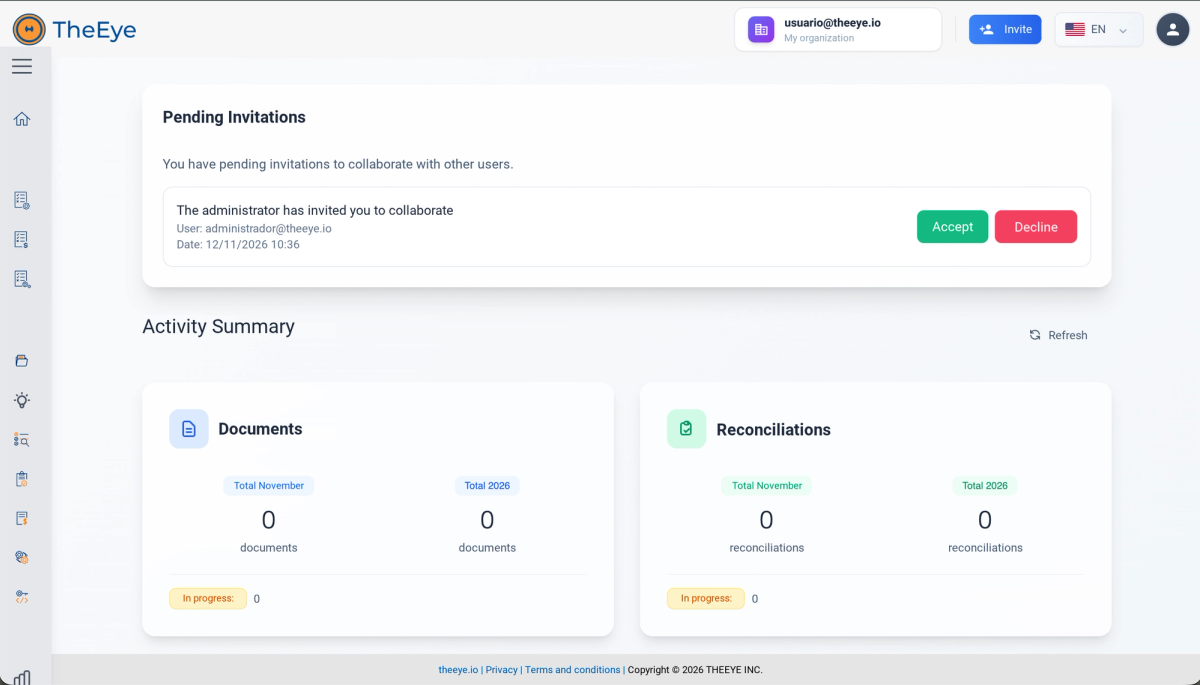
Accepting the Invitation
1. Each invited user will receive an email notification regarding the invitation. 2. If the user does not have an account in Reconciliations yet, they must first sign up at https://reconciliations.theeye.io/ by clicking "Sign up here" ("Registrarse aquí") using the same email address that received the invitation. 3. Upon logging in to https://reconciliations.theeye.io/, a banner/dialog will appear prompting them to accept the invitation to join the organization. 4. Once accepted, the user will have full access to the assigned templates and resources.
Last updated: 11/12/2026
Still have questions?
Contact support